 ChatGPT ·
 Claude (coming soon)
Memory fades. A timestamp does not.
Weeks later, “I think it was a Tuesday” is easy to challenge. A record that stores the date, what happened, and the supporting file gives your attorney something concrete to review.
Custody Proof stamps every entry with the date you give it and the file you attach, so the question in six months is not what you remember but what you wrote down. It starts with adding custody time on the calendar, and the record builds from there.
One timeline instead of a camera roll
Screenshots scattered across a phone are hard to reconstruct under stress. Custody Proof keeps calendar events, violation flags, expenses, and vault files on one timeline you can filter and export.
Photos, screenshots, and documents live in the evidence vault, encrypted and tied to the day they belong to, so a text from March is still filed under March when you need it.
Plan vs. actual: show where the schedule slipped
Set a repeating schedule from a plain-language description or an uploaded agreement, then log what actually happened. Deviations stay visible instead of disappearing into old texts, and keeping your schedule accurate takes one tap a week.
1. Set your schedule once
Type your custody arrangement in plain words — or upload the agreement itself — and your full recurring calendar builds itself, including summer possession and holiday blocks. You review every date before anything saves.
2. Log life as it happens
When the week went as planned, confirm it with one tap. When it didn’t — a denied exchange, a late drop-off, an unpaid expense — that difference becomes a dated record with the evidence attached, captured while it’s fresh.
3. Walk in prepared
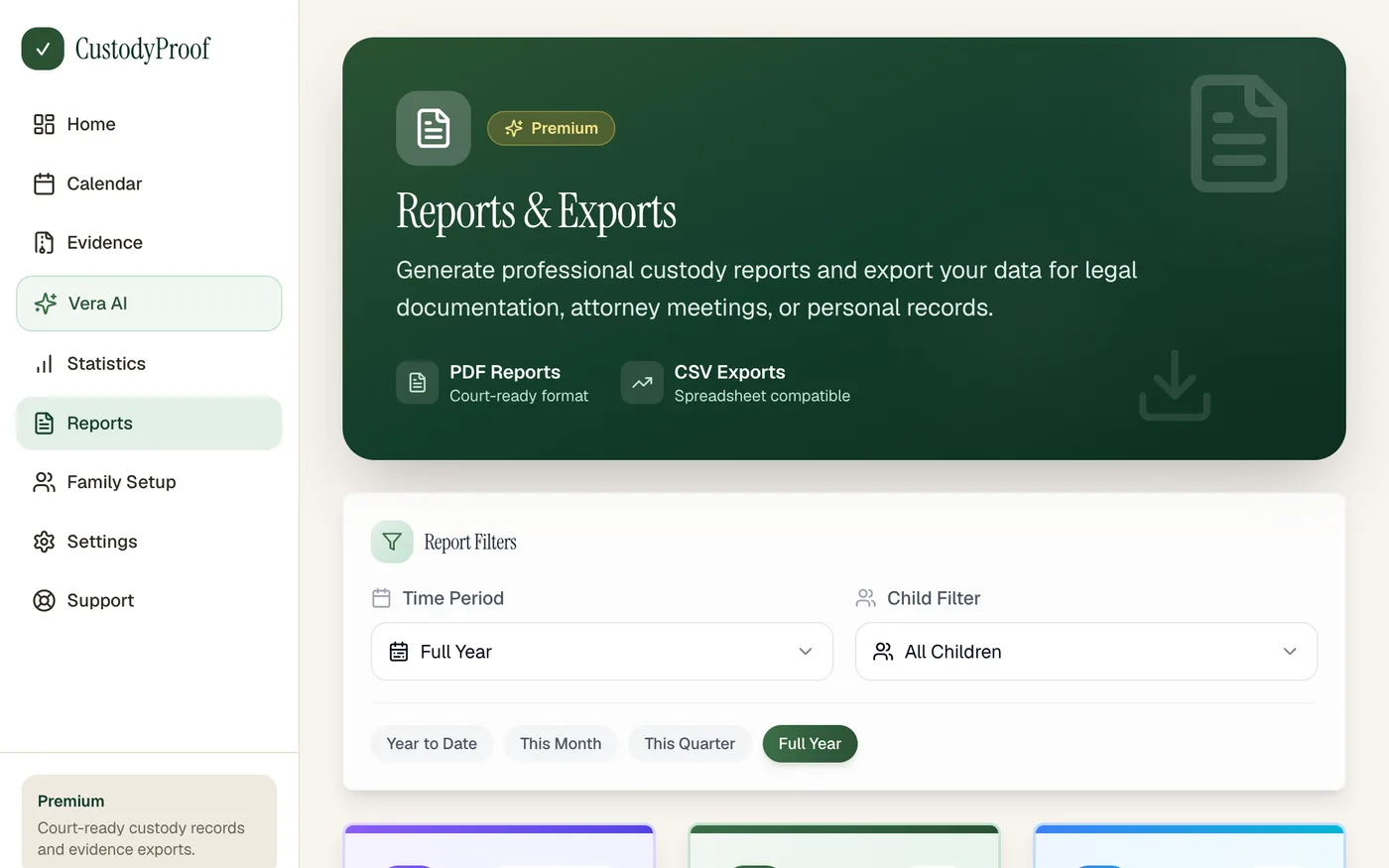
One click produces a lawyer-ready PDF: custody percentages, your planned schedule versus what actually happened, the violation timeline, and the expense ledger. Organized proof instead of a shoebox of screenshots.
What a dated record can hold
Overnights, timed visits, violation flags, evidence files, and child expenses, each with its own date, on one private record.
Custody time, counted correctly
Overnights are counted as nights and timed day visits are tracked separately in hours — so your parenting-time percentages are numbers you can stand behind.
Your agreement becomes your calendar
Alternating weekends, 2-2-3 rotations, summer possession, holiday carve-outs — describe it once and the schedule fills itself in a year ahead.
Planned vs. actual, side by side
CustodyProof compares what was supposed to happen with what did. Confirm days as you go and build a “Confirmed through” record that shows your documentation was kept in real time — not reconstructed for court.
Violations with time stamps
Denied visitation, late exchanges, no-shows — logged with dates and details, so isolated incidents become a documented pattern.
An encrypted evidence vault
Screenshots, photos, voice notes, and documents stored encrypted and tied to the incidents they prove — searchable when you need them, private always.
Every dollar, every receipt
Log child expenses with the receipt attached and keep a running ledger of what you’re owed — so “I’ll pay you back” finally has a paper trail.
Statistics that answer the hard questions
How many overnights? What percentage? How often were exchanges missed? Your dashboard knows — precisely, and on demand.
Lawyer-ready reports
Clean PDF reports, evidence archives, and expense summaries your attorney can actually use — which means less billable time spent untangling your records.
Export the narrative without rebuilding it the night before
Generate lawyer-ready PDF and CSV outputs, including the Court Packet, from what you already logged. You share only what you export, and admissibility of any export is a question for your attorney. The outputs are listed in reports and exports, and how to document custody for court explains what attorneys look for in the record.
The story first
A narrative summary and hero stats a judge can absorb in thirty seconds.
Deviations in red
Missed and extra nights marked on the calendar and listed by date — red only ever means something.
Court language
Evidence grouped under the best-interests factors courts actually evaluate, with a sworn verification page.
Download the sample Court Packet (PDF) — fictional family, real report, generated by the same engine your records would use.
Dictate it tonight; review it before it saves
On Case Builder, Vero turns a voice note, a pasted thread, or a photo into a draft entry with the date you state. You approve every draft, and Vero never guesses a date, so the record stays yours. (Vero AI is included in Case Builder, or add it anytime.)
Speak it
Record a voice note right after the exchange. Vero transcribes it and drafts the dated incident for you.
Snap it
Screenshot the text thread or snap the receipt — Vero reads it and files the record or expense with the evidence attached.
Paste it
Paste months of old notes or message threads and Vero sorts them into custody time and incidents — your backlog, finally organized.
You approve every record before it's saved. Unknown dates are never guessed.
Two plans. One dated record.
Documentation from $14.75/month or $144/year, or Case Builder with Vero AI from $29/month — cancel anytime, backed by a 30-day money-back guarantee.
Works in ChatGPT: ask for your parenting-time percentage, add entries and pull reports from a chat. See how it works
Questions about records and memory
Can I backdate an entry I forgot to make?
Yes. Enter the real date of what happened. A late entry is better than no entry, and the planned-versus-actual review lets you confirm weeks as you go, so the record shows it was kept over time rather than reconstructed in one sitting.
What if the other parent tells a different story?
That is the normal case. A record with a date, a description, and the supporting file attached is easier for your attorney to review than two competing recollections. Custody Proof does not decide who is right; it keeps your side organized and dated.
Can the other parent see what I write?
No. Custody Proof is a one-parent product. There is no shared account, no invitation, and no notification, and nothing is sent unless you export a file and hand it over yourself.
Will a judge accept these records?
Admissibility is a question for your attorney and depends on your court. Custody Proof is a documentation tool, not a law firm. The exports are built for an attorney to review: dated entries, attached files, and a plain-English summary.
How does the money-back guarantee work?
Your first charge is covered by a 30-day money-back guarantee. If Custody Proof isn’t right for you, request a refund in seconds right from Settings while your window is open, or email support if you prefer. Full refund, and any reports you exported are yours to keep. You can also cancel anytime from Settings, and canceling does not delete your records.
Start from today’s entry, not from perfect history
You can begin with what happened tonight and import older history when you are ready. Missing the first months does not block starting a clean record now; getting started covers the first ten minutes.
Private by design
Custody Proof is a one-parent product: no shared account, no invitation, no notification to the other parent. The private custody documentation overview explains what that record holds.
- Private & encrypted
- No cooperation required
- Cancel anytime
- 30-day money-back guarantee