A private custody record for every client, paid for by the firm.
Attorneys and family-law firms buy Custody Proof access for their clients in batches of single-use codes. A client creates an account, enters the code on the plan page, and goes straight into setup — no card, no shared account, nothing the other parent is invited to.
Custody Proof is a documentation tool for one parent: a custody calendar built from the order, a dated log of exchanges and incidents, an encrypted evidence vault, a child-expense ledger, and lawyer-ready PDF exports. What the app does · How custody records are used in court.
Why firms do this
- The record starts on day one. “Start documenting” is advice clients hear and rarely act on. A code removes the decision and the card.
- Fewer billable hours spent reconstructing. A client who logs exchanges the day they happen hands you a timeline instead of a camera roll. Why that matters for fees.
- Overnights counted the way courts count them. The calendar separates overnights from timed visits and compares the plan to what was logged. The counting rules.
- Nothing is shared with the other parent. There is no co-parent login, no invitation and no notification. The client decides what gets exported and who sees it.
How it works
- You tell us what you need. Email support@custodyproof.com with the number of clients, the plan (Documentation or Case Builder with Vero, the AI assistant) and the length of access — 3, 6 or 12 months are typical; anything from 1 to 24 works. A batch can carry a redeem-by date.
- We invoice the firm and send the codes. Codes look like
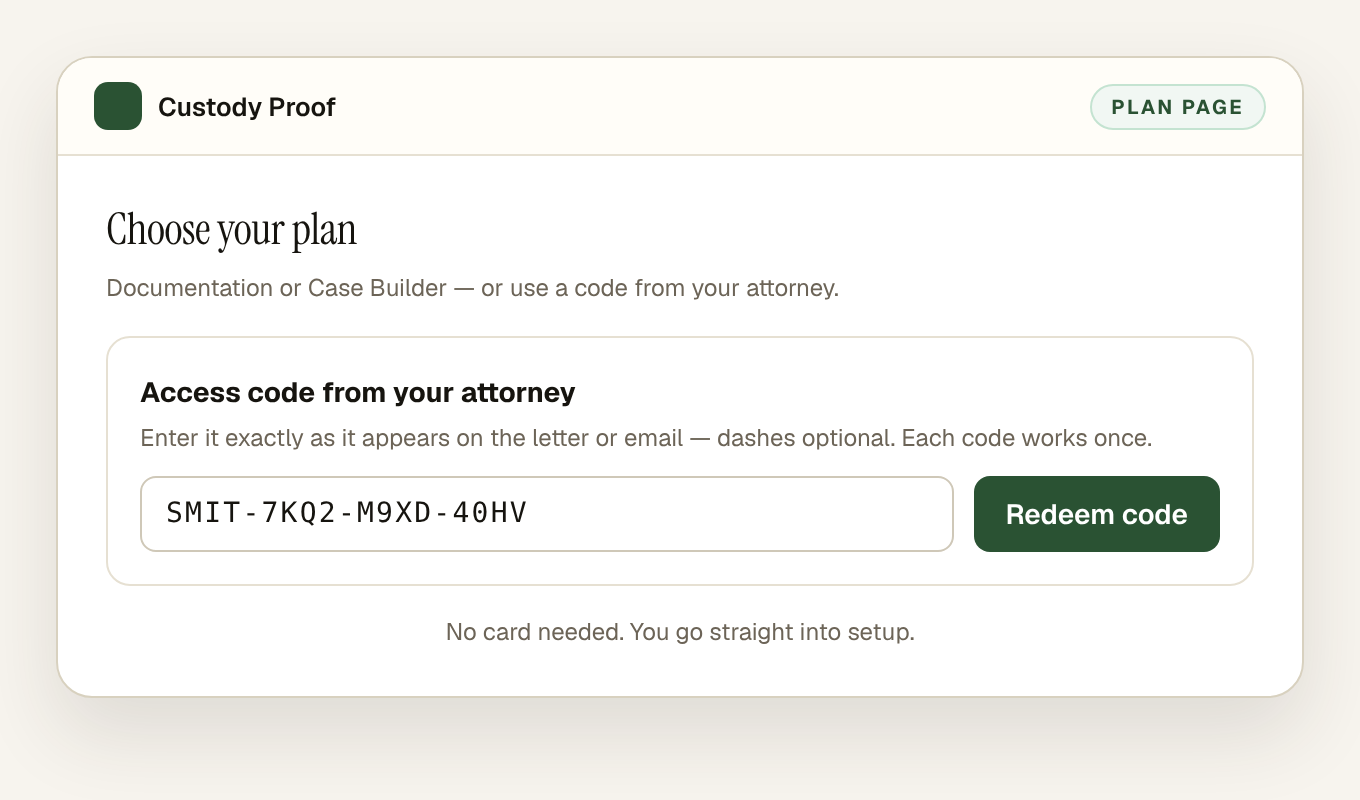
SMIT-7KQ2-M9XD-40HV: four letters from your firm’s label, then twelve characters. You receive them as a CSV to drop into an engagement letter or a client email. - The client redeems a code at signup. On the plan page they choose “Have an access code from your attorney?”, type the code (dashes and capitals optional) and choose Redeem code. The account is live immediately, with no card.
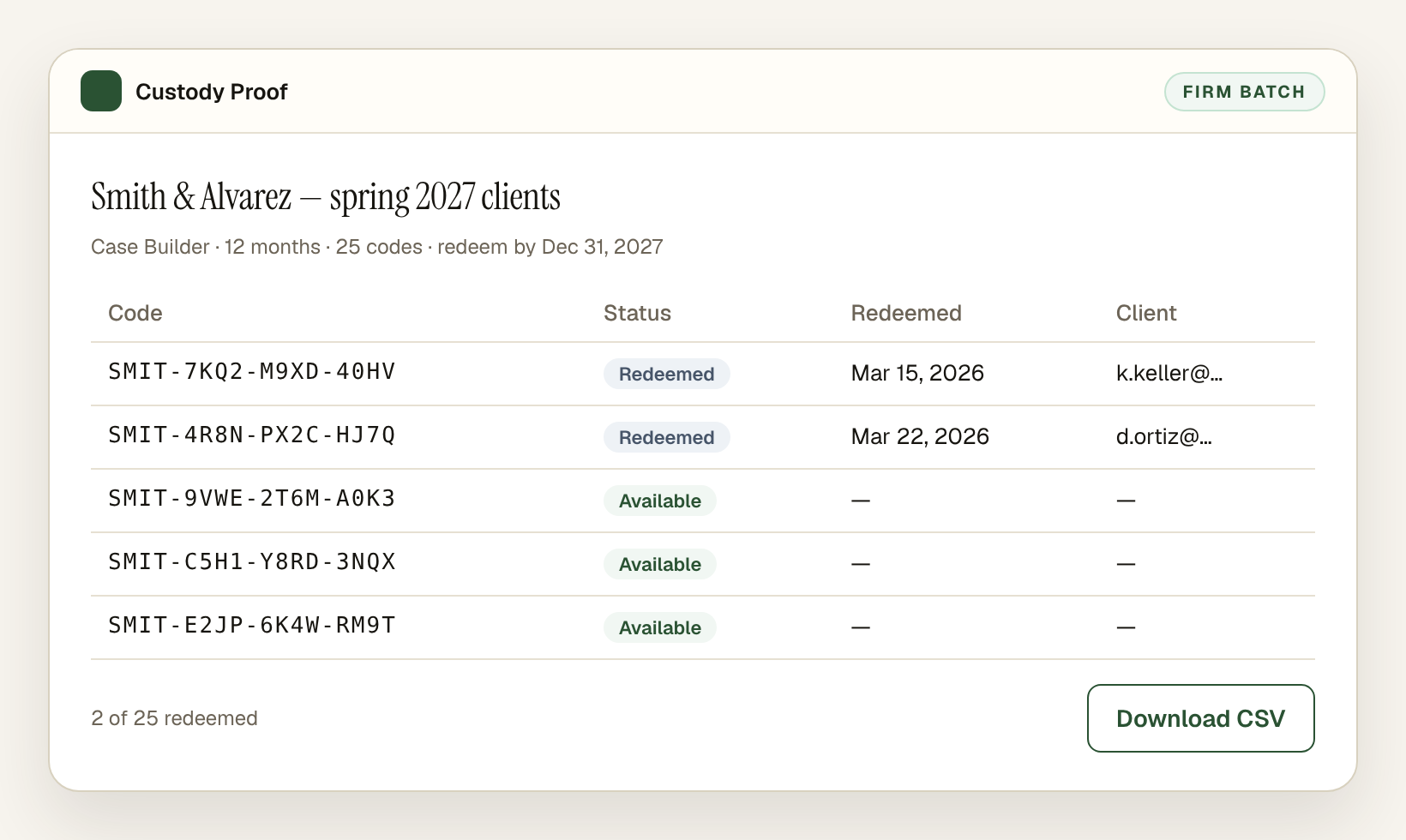
- You see what was used. Each code is single-use and tied to the account that redeemed it. We can tell you how many codes in a batch were redeemed; unused codes can be canceled.
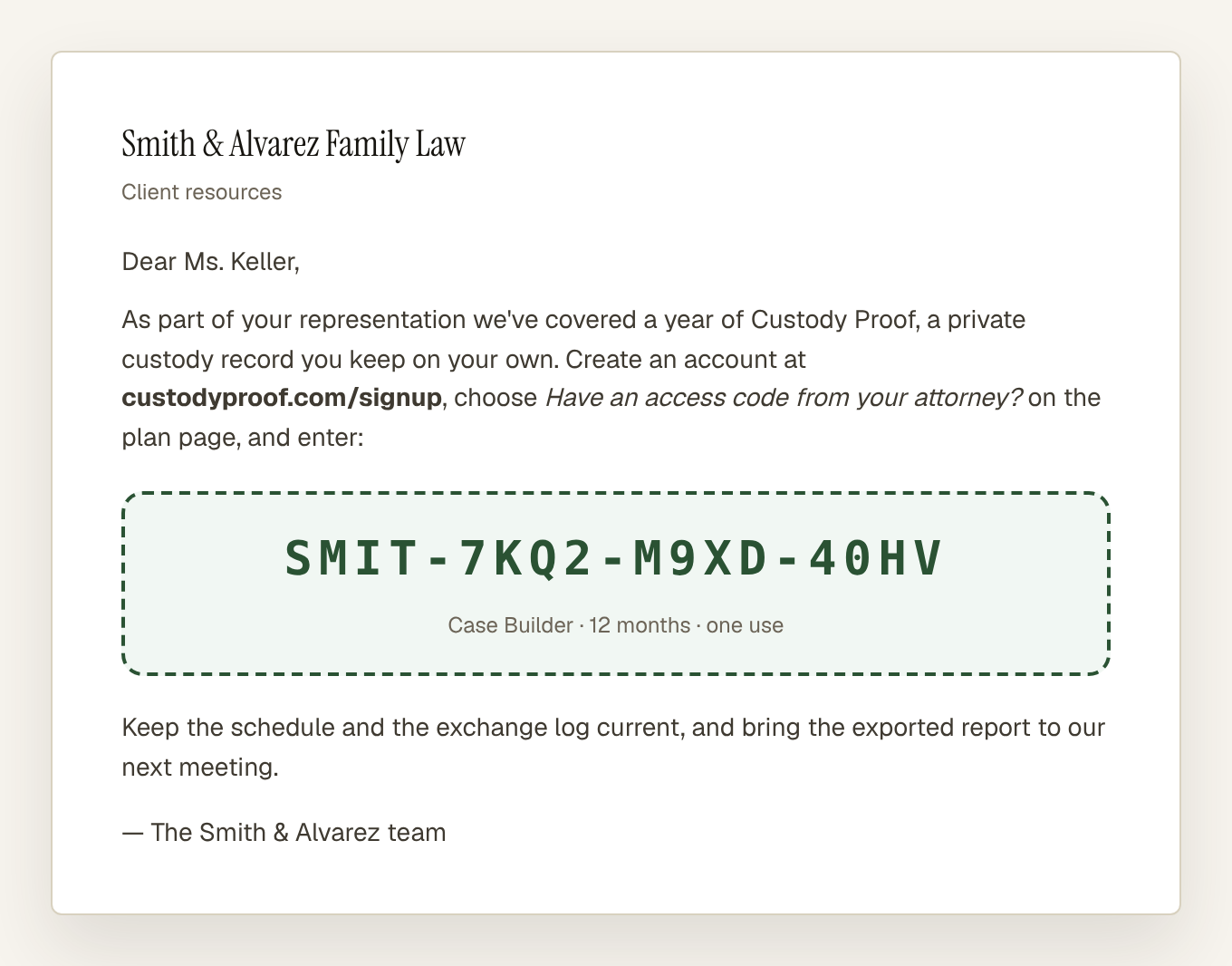
What the client sees
The code is entered once, on the plan page, right under the plan cards.
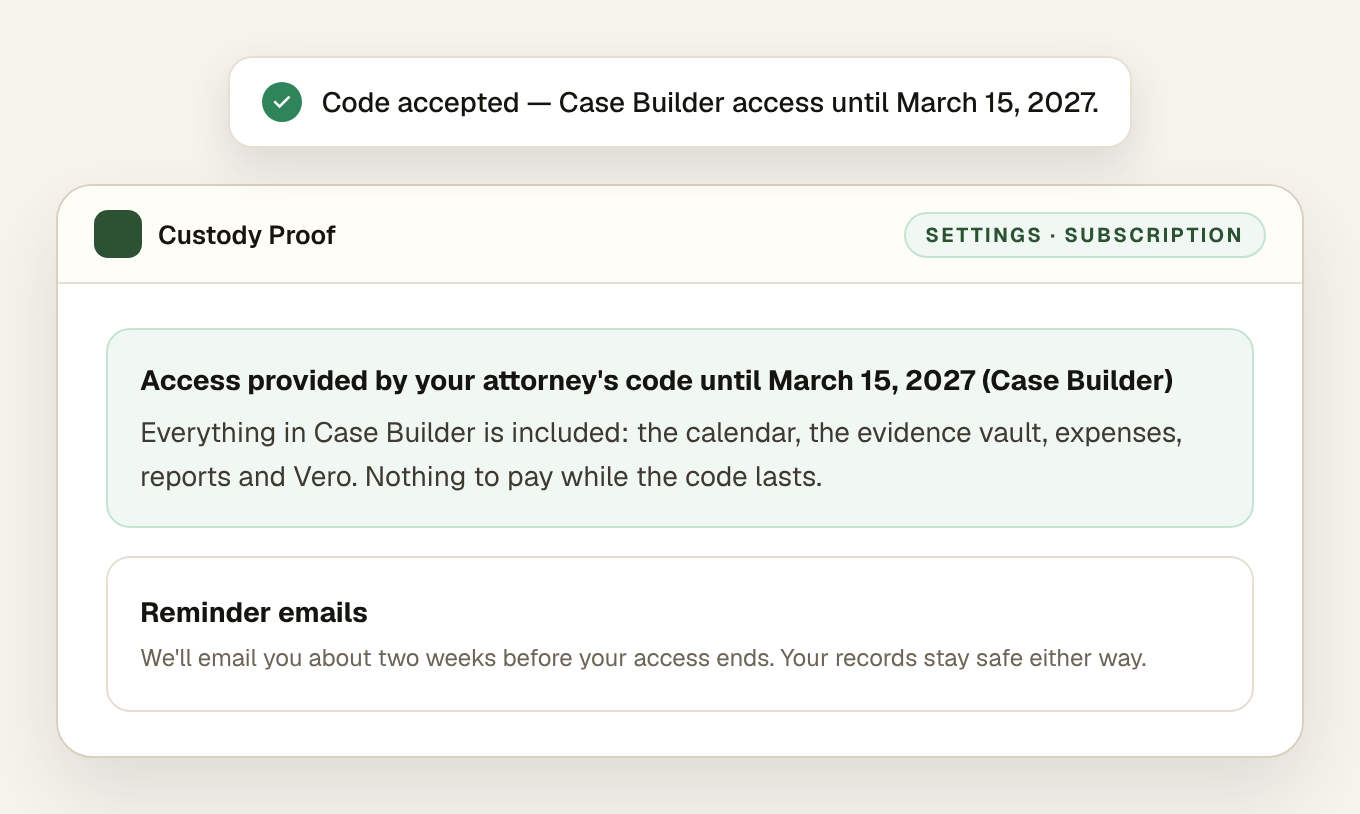
The confirmation names the plan and the end date, and Settings shows the same line for the life of the code. About two weeks before it ends the client gets one reminder email.
What the firm receives
A CSV of the batch — one row per code, with the plan, the length and the redeem-by date — and the status of the batch on request: redeemed, available or canceled, with the redemption date. We never share a client’s records, exports or activity with the firm.
Plans and pricing
The plan a code grants is the plan the client gets — the same plans the app sells, with nothing held back:
| Documentation | Case Builder | |
|---|---|---|
| Custody calendar from the order, planned vs. actual | Yes | Yes |
| Exchange, incident and expense logs | Yes | Yes |
| Encrypted evidence vault | Yes | Yes |
| Lawyer-ready PDF and CSV exports | Yes | Yes |
| Vero AI (turns a voice note, a pasted thread or a screenshot into a reviewed draft) | No | Yes |
| Self-serve price | $14.75/month or $144/year | $29/month or $278/year |
Firm batches are invoiced directly and priced by plan and length. Email support@custodyproof.com with the number of clients you have in mind and we reply with a quote and the codes.
Rules worth knowing
- Each code works once and stays with the account that redeemed it. It has no cash value.
- A second code redeemed while access is still running adds its months to the end.
- A code never downgrades: a client with Case Builder access who redeems a Documentation code keeps Case Builder.
- A code cannot be redeemed on an account that already pays. Those clients keep their subscription and email support@custodyproof.com.
- When access ends nothing is deleted. The client keeps every record and can choose a plan, redeem another code, or apply for a fee waiver.
Common questions
Does the firm get access to the client’s record?
No. A code pays for the account; it does not connect it to anyone. The client owns the record, decides what to export, and hands you the report. Nothing is shared automatically with the firm or the other parent.
How is the firm billed?
We invoice the firm directly for the batch — there is no checkout inside the app for codes. Email support@custodyproof.com with the number of clients, the plan and the length of access, and we send the invoice and the codes.
Can a code be reused or moved to another client?
No. Each code works once and stays with the account that redeemed it. Unused codes can be canceled, and a batch can carry a redeem-by date.
What happens when the code runs out?
About two weeks before the end the client gets a reminder email, and Settings shows a “Choose a plan” button. Nothing is deleted when access ends — the calendar, evidence, expenses and reports stay in the account; adding new records resumes when the client picks a plan or redeems another code.
What if the client already pays for Custody Proof?
A code cannot be redeemed on an account that already has a paid subscription. The client keeps the subscription and emails support@custodyproof.com; we sort out the billing with them.
Order codes for your clients
Email support@custodyproof.com with how many clients, which plan and how many months. We reply with a quote, invoice the firm, and send the codes as a CSV — usually the same business day. Parents can also use a fee waiver or the military discount on their own.
Custody Proof is a documentation tool, not a law firm. Nothing on this page is legal advice. Whether and how a record is used in a case is a question for your attorney.