 Now available in ChatGPT
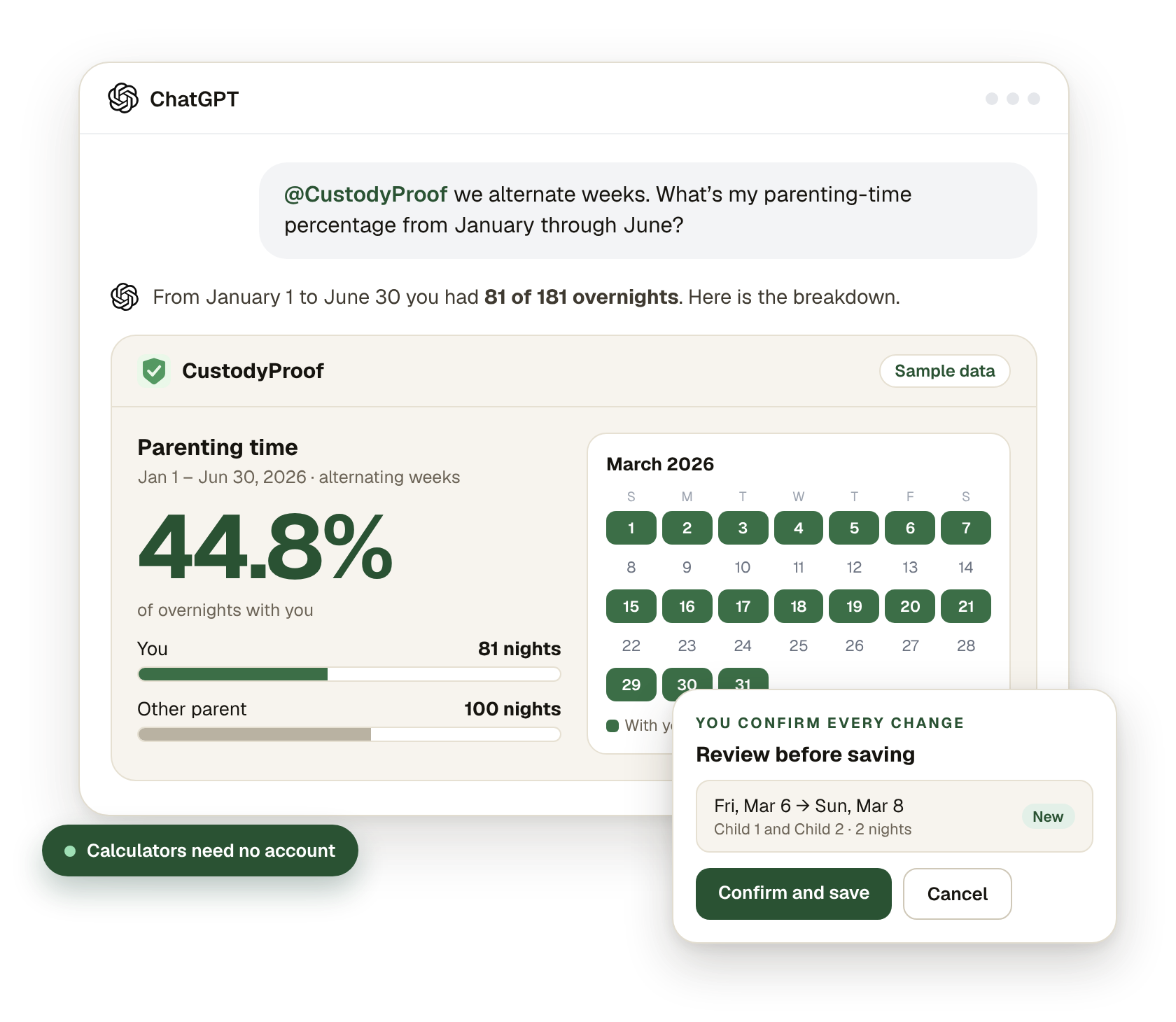
How to connect
ChatGPT
- Open CustodyProof in ChatGPT. Open the CustodyProof plugin page in ChatGPT, or search for “CustodyProof” in ChatGPT’s plugins.
- Add it — sign in only if you want your records. The three calculators work right away, with no account. To work with your own record, sign in with your Custody Proof login when ChatGPT asks.
- Ask in plain words. Mention @CustodyProof in a chat and say what you need: “What percentage of nights did I have this year?” or “Add last weekend for both kids.”
Claude — coming soon
Custody Proof for Claude is built and on its way. It will offer the same calculators, the same record tools and the same privacy rules. This page will say so the day it is available.
Free for anyone: three calculators
No Custody Proof account, no sign-in, no email. Open the plugin and ask.
- Parenting-time percentage — Pick a schedule or give the dates. Get nights with each parent, the percentage and a calendar of the nights.
- Compare schedules — Alternating weeks, 2-2-3, 2-2-5-5, every other weekend and more, side by side over the same dates.
- Expense split — An expense, each parent’s share and what has been paid back so far: what is still owed.
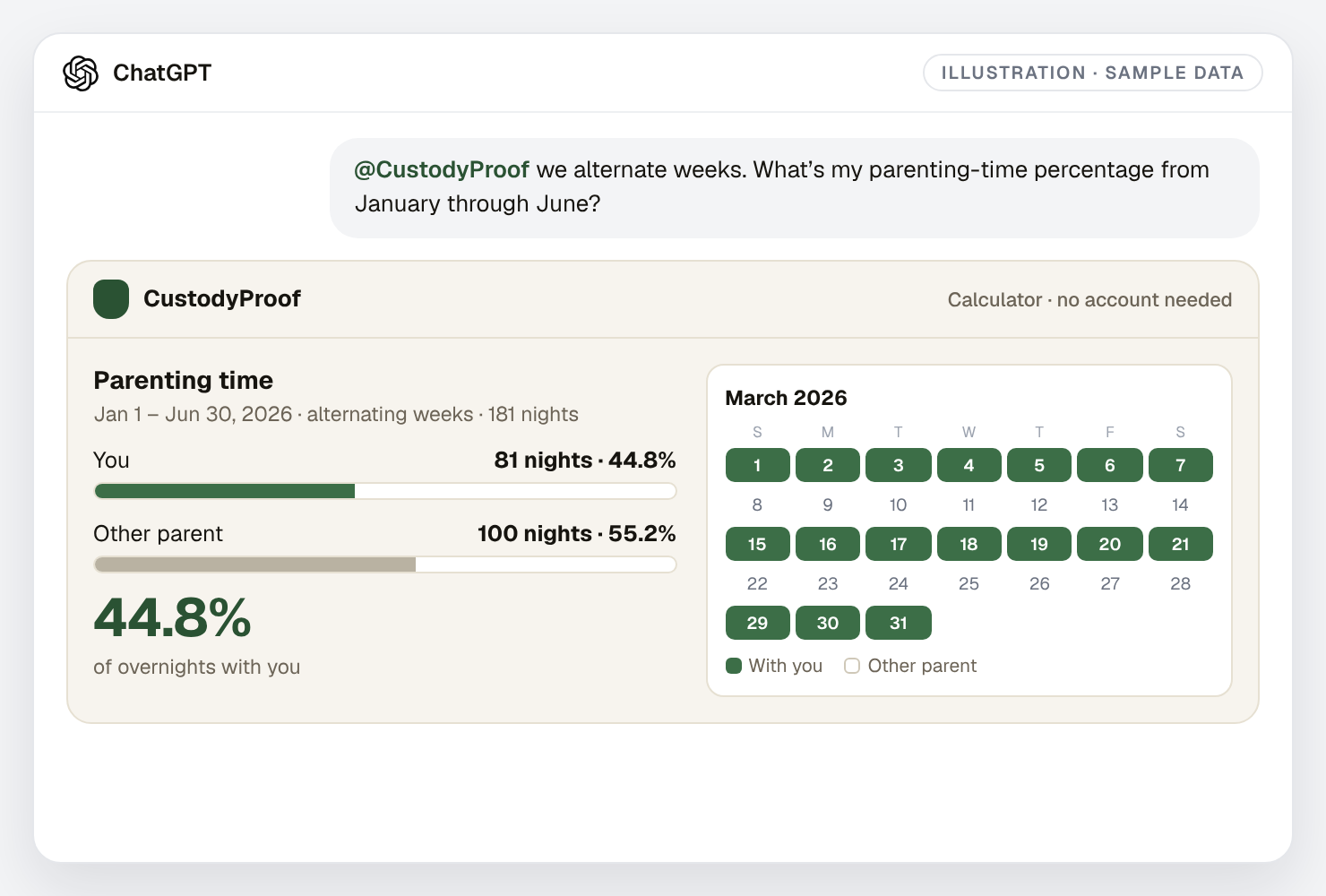
The numbers follow the same counting rules as the app: an overnight belongs to the parent the child sleeps with, and a stay from the 1st to the 11th is ten nights. How parenting time is counted explains the math.
With your Custody Proof account
Sign in once from ChatGPT and your record answers questions. This is included with both plans.
- Look things up — Custody time, reported violations, evidence entries and expense balances for the dates you ask about.
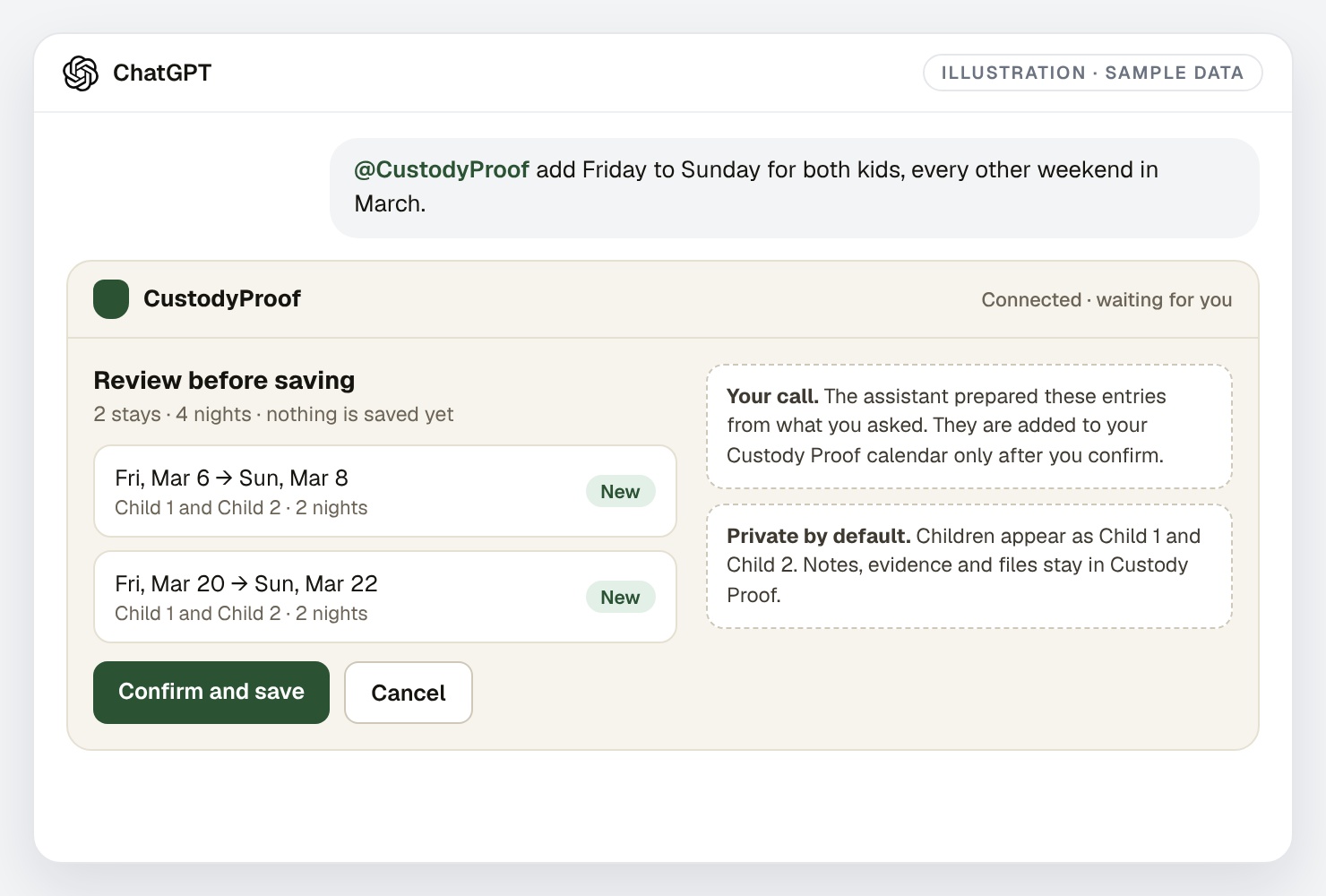
- Add and correct entries — Log a night, a visit, an expense or an evidence entry — or a whole month at once. You see a preview and confirm before anything is saved.
- Generate a report — A PDF for the dates you choose, with a verification code anyone can check at custodyproof.com/verify.
Things you can say
- “What percentage of overnights did I have between January and June?”
- “Show me the exchanges I flagged as violations this fall.”
- “Add Friday to Sunday for both kids, every other weekend in March.”
- “How much is still owed to me for medical expenses this year?”
- “Make a report for September through November.”
You confirm every change
The assistant never writes to your record on its own. When you ask it to add or correct something, the plugin shows exactly what would be saved — the dates, which child, the amount — and waits. You confirm, and it saves. You say no, and nothing happens.
A custody record is only useful if it is yours and it is accurate. That is why the confirmation is not optional and cannot be switched off.
What ChatGPT sees — and what it never does
- Children are not named. They appear as “Child 1” and “Child 2”.
- Your notes stay home. The plugin does not return the text of your notes or evidence entries.
- Your files stay home. Photos, screenshots, documents and receipts are never sent. Original evidence remains in Custody Proof.
- Only what you asked for. The plugin answers the question in front of it with dates, counts, categories and amounts.
- You can cut it off. Settings → Profile → Connected assistants disconnects it immediately.
Signing in happens on a Custody Proof page, not inside the chat, and ChatGPT never receives your password. The full details are in the Privacy Policy.
What it does not do
- It does not message the other parent, and the other parent is never notified.
- It does not file anything with a court or send money.
- It does not read your court order or tell you what a judge will do.
- It does not replace the app: uploading evidence files, setting up a schedule from your order and the full reports live in Custody Proof.
Not a Custody Proof customer yet?
Try the calculators in ChatGPT first — they cost nothing. When you want the record behind the numbers, start your Custody Proof record: a private calendar, an encrypted evidence vault, an expense ledger and lawyer-ready PDF reports. See the two plans.
Questions
Do I need a Custody Proof account to use it in ChatGPT?
Not for the calculators. Parenting-time percentage, schedule comparison and the expense split work for anyone, with no account and no sign-in. You need a Custody Proof account with an active plan only to work with your own saved records.
What does ChatGPT see from my account?
Only what the plugin returns for the question you asked: dates, counts, categories, amounts and whether an entry is flagged as a violation. Children appear as “Child 1” and “Child 2”, never by name. The plugin does not return your notes, the text of your evidence, your files or your attachments — those stay in Custody Proof.
Can ChatGPT change my records without asking me?
No. Every addition or correction is shown to you first as a preview, in plain words, and nothing is saved until you confirm it. If you do not confirm, nothing changes.
How do I disconnect ChatGPT from my account?
In Custody Proof, open Settings, then Profile, and find “Connected assistants”. Disconnecting removes the assistant’s access immediately. You can also remove the plugin inside ChatGPT. A connection also ends on its own after 30 days and asks you to sign in again.
Does it cost extra?
No. The calculators are free for anyone. Working with your own record is included with both Custody Proof plans — Documentation and Case Builder — at no added cost.
Will the other parent know?
No. Custody Proof is a one-parent product, in ChatGPT as everywhere else. Nothing is sent to the other parent and they are never invited or notified.
Is the calculator’s answer legal advice?
No. The calculators do arithmetic on the dates or schedule you give them and state their assumptions. They do not read your court order, apply your state’s rules or predict an outcome. Whether a number matters in your case is a question for your attorney.
Is Custody Proof available in Claude?
Not yet — it is coming soon. The Claude version is built and will offer the same tools and the same privacy rules.
More: the step-by-step setup guide, Vero, the assistant inside the app, and account and privacy.
ChatGPT is a trademark of OpenAI. Claude is a trademark of Anthropic. Custody Proof is an independent product and is not affiliated with, sponsored by or endorsed by either company.
Custody Proof is a documentation tool, not a law firm. Nothing on this page is legal advice. Whether and how a record is used in a case is a question for your attorney.